 Sport MCP
Your AI plans the workout. You log the lifts.
Sport MCP is a simple strength log for iPhone. Connect the assistant you already use and it builds your program, schedules your week, and adjusts from what you actually lifted.
The iPhone app is in beta on TestFlight. Steps for Claude, ChatGPT, Gemini, Grok, Muse and Mistral are below.
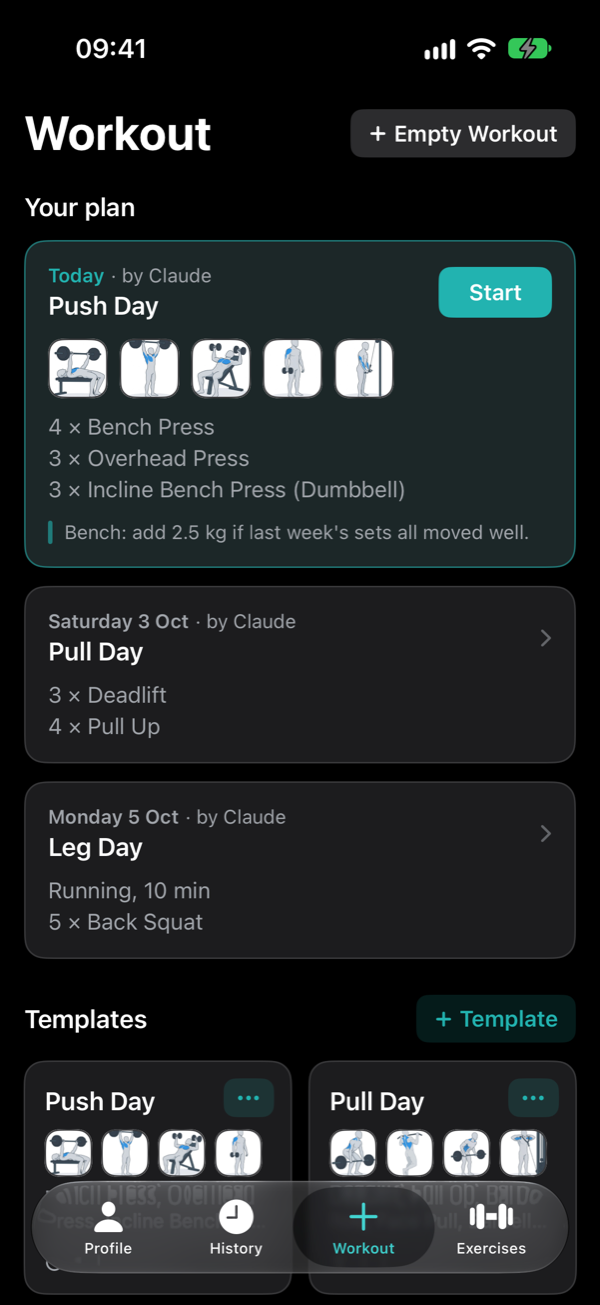
Plan me a push day. Bench first, about 45 minutes.
Done. Push Day is on your schedule for today. I added 2.5 kg to your bench.
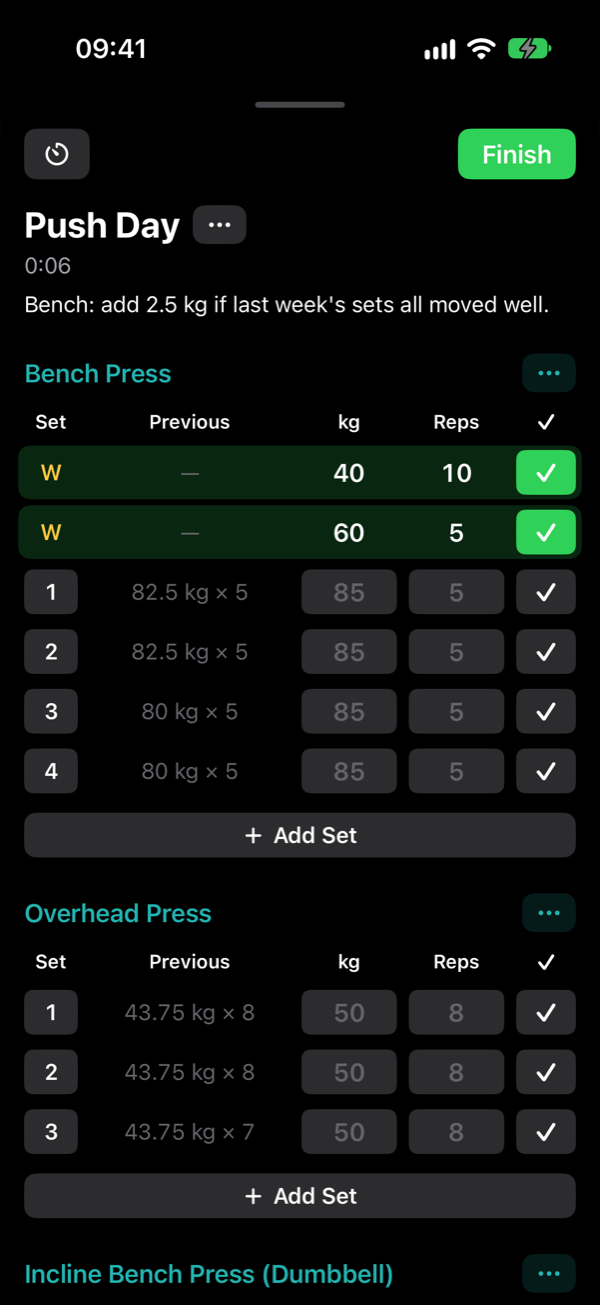
Push Day
| Set | Previous | kg | Reps | Done |
|---|---|---|---|---|
| 1 | 82.5 kg × 5 | 85 | 5 | |
| 2 | 82.5 kg × 5 | 85 | 5 | |
| 3 | 80 kg × 5 | 85 | 5 |
Try it: check off a set.
A coach that reads your log
Your assistant already knows how to write a training program. What it lacks is your numbers. Sport MCP gives it both a place to put the plan and a record of what happened.
-
Connect
Add Sport MCP to your assistant and sign in with your account. No keys or codes to copy.
-
Ask for a plan
Describe your goal, your week and your equipment. The workouts appear in the app, on the days you train.
-
Lift and log
Last time's weights are already filled in. Check off each set and the rest timer starts.
-
Review and adjust
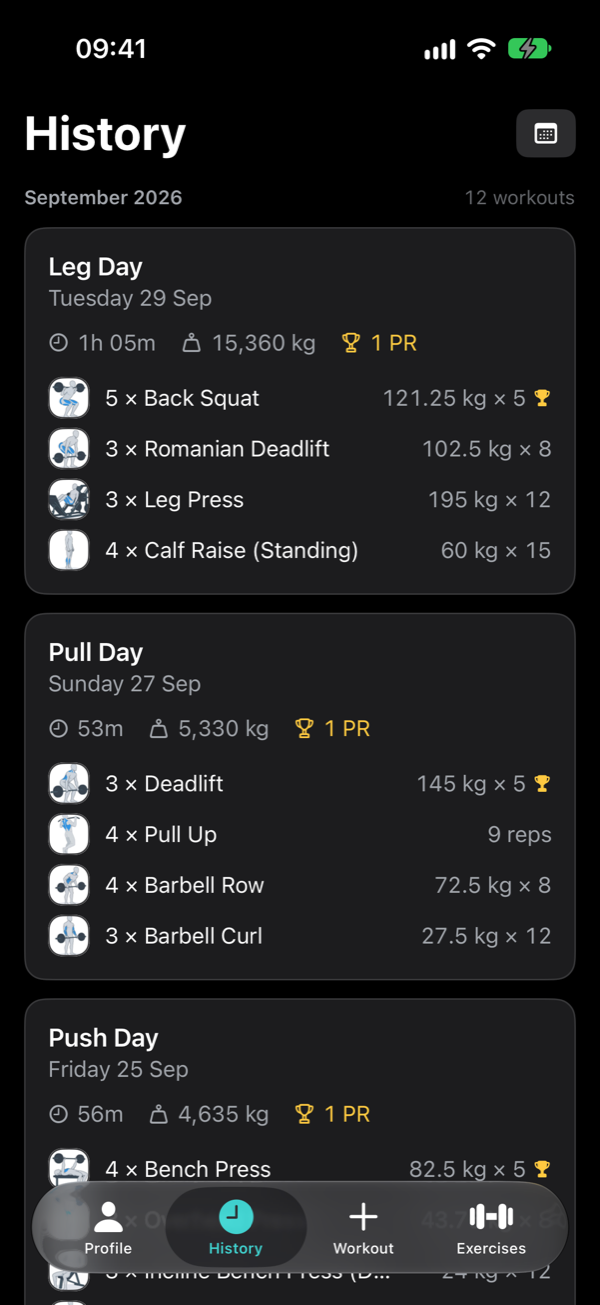
Your assistant sees what you lifted, not just what it planned, and sets next week from there.
The app stays out of your way
No feed, no streak pressure, no chatbot squeezed into a corner. It is a log: fast to fill in at the gym, clear to read afterwards.
- Cardio
- Plan a run, a row or a ride by time and distance, and log it between your lifts.
- Templates
- Save workouts you repeat. Build them yourself or let your assistant write them.
- Exercise library
- About 130 exercises to start, filtered by body part and equipment. Add your own.
- Rest timer
- Starts when you check off a set and notifies you when the phone is locked.
- Records
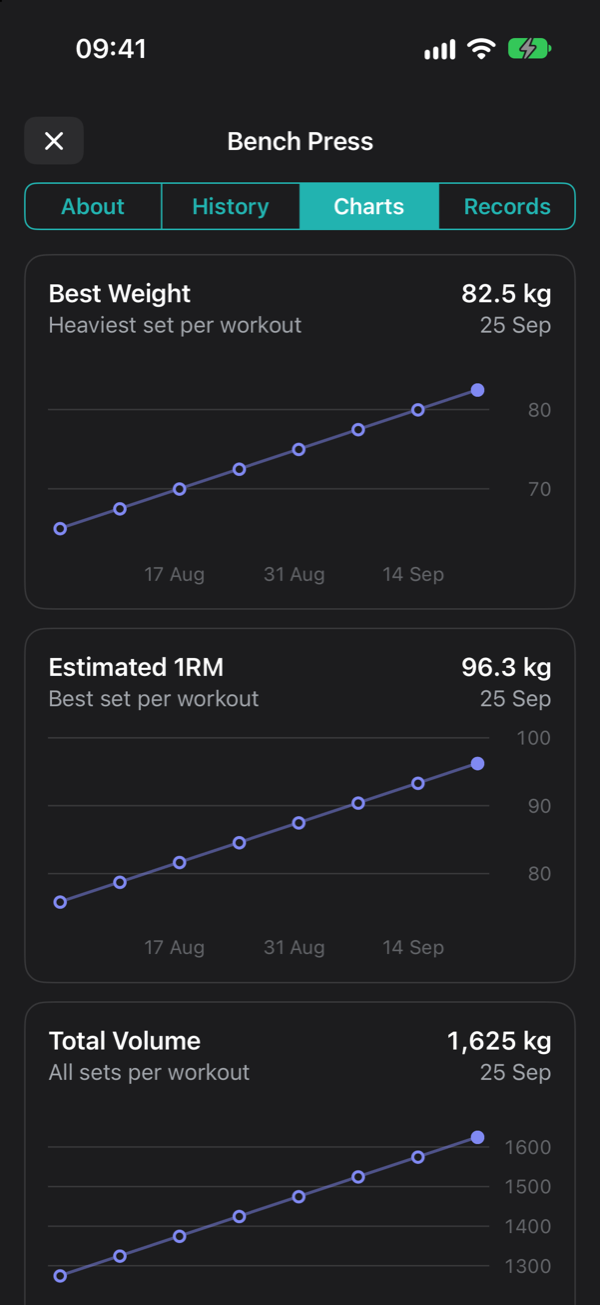
- Heaviest set, estimated one-rep max and best volume, tracked for every lift.
- Apple Health
- Finished workouts are saved to Health as strength training.
- Import
- Bring your history over from Strong or Hevy in one step.
- Warm-up sets
- Every set can have its own weight and reps, so warm-ups ramp up to your working sets. They stay out of your volume and records.
- Light and dark
- Follows your phone, or pick one. Kilograms or pounds.
Ask the way you would ask a coach
Because your assistant can read your history, its answers use your real numbers. Say "Sport MCP" in the request and it will use your log instead of only answering in the chat.
- Build me a four-day upper/lower split and put it in Sport MCP. I have a barbell, a rack and dumbbells up to 30 kg.
- Plan next week in Sport MCP around my football match on Thursday.
- Look at my Sport MCP log. How has my bench press moved over the last two months?
- I missed Wednesday. Rearrange the rest of my week in Sport MCP.
- My squat has stalled for three weeks. Check my log and tell me what should change.
Connect in about a minute
You sign in on a Sport MCP page, the same way you sign in to the app. Your assistant never sees your password, and you can disconnect it whenever you like.
https://sport-mcp.com/mcp
This is the connector address. It is the same for everyone and for every assistant; signing in is what links it to your account.
Claude
Works on every Claude plan. The free plan allows one custom connector.
- Open Claude on a computerAt claude.ai or in the desktop app, go to Customize → Connectors.
- Add Sport MCPClick +, then Add custom connector. Name it Sport MCP, paste the address and click Add.
- Sign inClick Connect. Claude opens the Sport MCP sign-in page. Sign in with the account you use in the app, then allow.
- Use it in a chatClick +, open Connectors and switch Sport MCP on. It also appears in the Claude app on your phone.
Claude asks before it saves or changes anything in your log, unless you tell it to always allow that.
ChatGPT
Needs a paid ChatGPT plan: Plus, Pro, Business, Enterprise or Edu. It works at chatgpt.com in a browser, not in the ChatGPT app.
- Turn on developer modeAt chatgpt.com, open Settings → Security and login and turn on Developer mode. If it isn't there, look under Settings → Apps → Advanced settings.
- Add Sport MCPGo to chatgpt.com/plugins and select +. Name it Sport MCP, paste the address under Connection and create it.
- Sign inChatGPT opens the Sport MCP sign-in page. Sign in with the account you use in the app, then allow.
- Use it in a chatIn a new chat, open the + menu, choose Developer mode and select Sport MCP.
ChatGPT asks before it saves or changes anything in your log, unless you tell it to always allow that.
Gemini
For now Gemini offers this in the US only: 18 or older, a personal Google account, Gemini in English and Keep Activity switched on.
- Open Gemini on a computerAt gemini.google.com, click Settings, then Connected Apps.
- Add Sport MCPUnder Custom apps, click Add a custom app, paste the address and click Next.
- Sign inGemini opens the Sport MCP sign-in page. Sign in with the account you use in the app, then allow.
- Use it in a chatType @ and pick Sport MCP, on the web or in the Gemini app on your phone.
Gemini asks before it saves or changes anything in your log, unless you tell it to always allow that.
Grok
Set up in a browser at grok.com.
- Open Grok's connectorsIn a browser, go to grok.com/connectors.
- Add Sport MCPClick New Connector, choose Custom and paste the address.
- Sign inGrok opens the Sport MCP sign-in page. Sign in with the account you use in the app, then allow.
- Use it in a chatAsk about your training. Grok uses Sport MCP when the question calls for it.
Muse
Muse is Meta's assistant. Its sign-in hand-off doesn't complete yet, so it connects with an access key you create in the app instead.
- Create an access key in the appProfile, then Connect an Assistant, choose Muse and tap Create Access Key. The key is shown once; copy it. You can revoke it there at any time.
- Ask Muse to connectIn a Muse chat, send this message. Muse opens a secure credential prompt, separate from the chat: paste the key there, never into the chat. If it shows an Add custom connector sheet with a Client ID field instead, cancel it and reply: No OAuth, it's a bearer token header, open the secure credential prompt.
Build a custom connector for Sport MCP. Its MCP server URL is https://sport-mcp.com/mcp (streamable HTTP). It authenticates with a bearer token, not OAuth: send "Authorization: Bearer
" on every request. Store the token as a secret named SPORT_MCP_KEY. I'll give you the token through the secure credential prompt, not here. - Check that it worksAsk Muse to show your recent workouts. It appears under Connected in the app once it has used the key.
Muse asks before it saves or changes anything in your log, unless you tell it to always allow that.
Mistral
Mistral's assistant is now called Vibe (it was Le Chat). Works on every plan, including free.
- Open Vibe on a computerAt chat.mistral.ai, open Connectors.
- Add Sport MCPClick + Add Connector and switch to Custom MCP Connector. Name it SportMCP, without a space, and paste the address as the Server URL.
- Sign inClick Connect. Vibe opens the Sport MCP sign-in page. Sign in with the account you use in the app, then allow.
- Use it in a chatClick + or type /, choose Tools and switch SportMCP on.
Mistral asks before it saves or changes anything in your log, unless you tell it to always allow that.
Questions
Which assistants work?
Claude, ChatGPT, Gemini, Grok, Muse and Mistral all let you add your own connector, and the steps for each are above. What you need differs: ChatGPT asks for a paid plan, and Gemini and Muse offer it in the US only for now. Sport MCP uses the open Model Context Protocol with a standard sign-in, so any other assistant that supports custom connectors can use the same address.
The steps don't match what I see
Assistants rename their menus often. The steps follow each assistant's own documentation as of September 2026. Look for a Connectors, Apps or Plugins page in its settings and an option to add a custom one, then paste the address. If you get stuck, write to support@sport-mcp.com.
Do I need to pay for an AI subscription?
You use your own assistant, on whatever plan you already have. Sport MCP has no built-in chatbot and adds no AI fee.
Can I use the app without an assistant?
Yes. It is a complete workout log on its own: templates, logging, history, records and charts. Connecting an assistant is optional and you can do it later.
What can the assistant see and change?
It can read your workouts, history and records, create templates, place workouts on your schedule, and log workouts when you ask. It cannot see your password, and it has no access to anything else on your phone.
How do I disconnect?
In the app, open Profile, then Connect an Assistant, and disconnect it there. Access stops right away. You can also remove the connector in your assistant's own settings.
Where is my data stored?
In your account, on servers in the European Union. It is not sold or used for advertising. This site uses no cookies. You can delete your account and everything in it from the app's settings. The privacy policy has the details.